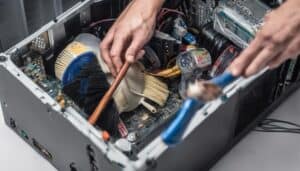
Finished setting up a gaming rig only to find it heats up like a furnace? Thermal paste might be the secret weapon to cool things down. It works like glue for heat, moving it from the processor to the cooler much better than just air can. Skipping this step can slow down the system or even fry parts over time. Knowing when and how to spread thermal paste can seriously speed up your computer and help it last longer. Plenty of gamers don’t realize that the right amount keeps temperatures steady, so the game stays smooth and the gear stays safe. Getting this right often means fewer crashes and even better frame rates. Stick around to see how this small fix can flip your setup from blazing hot to ice cold.
Key Takeaways
- Thermal paste enhances heat transfer between CPU/GPU and heatsink, reducing overheating risks by filling microscopic gaps that trap heat.
- Proper application of thermal paste prevents thermal throttling, maintaining system performance during demanding tasks and high temperatures.
- Regular replacement of thermal paste improves cooling efficiency, extending the lifespan of components by preventing overheating.
- Inadequate surface preparation can hinder thermal paste effectiveness, leading to poor heat dissipation and increased overheating risks.
- Using the right type of thermal paste, especially non-conductive options, ensures better thermal conductivity and reduces the likelihood of overheating.
What Is Thermal Paste?

When you're building or upgrading a computer, understanding what thermal paste is can make a big difference in performance. Thermal paste, also known as thermal compound or thermal interface material (TIM), is a substance applied between the CPU (central processing unit) or GPU (graphics processing unit) and the heatsink. Its primary purpose is to enhance heat transfer, ensuring that your processor remains cool during operation.
Proper application of thermal paste is essential for effective cooling, as efficient coolers absorb and disperse heat, which is vital for maintaining peak performance.
You might wonder why you need thermal paste at all. The surfaces of the CPU and heatsink aren't perfectly smooth; microscopic imperfections can trap air, leading to inefficient heat transfer. This is where thermal paste comes into play. It fills those gaps, creating a more effective thermal interface.
When applying thermal paste, you want to use just the right amount—not too much and not too little. A pea-sized dot usually does the trick. Too much can spill over and cause problems, while too little can lead to overheating.
Regularly replacing thermal paste is also a good practice, especially if you've removed the heatsink for any reason. Taking these steps can greatly improve your computer's cooling efficiency and overall longevity.
How Thermal Paste Works
Understanding how thermal paste works is essential to grasping its role in your computer's cooling system. At its core, thermal paste acts as a conductive bridge between the CPU or GPU and the heatsink.
When these components generate heat during operation, the thermal paste fills in microscopic gaps and imperfections on their surfaces, guaranteeing more efficient heat transfer. Efficient heat transfer is vital, especially in preventing issues related to dust accumulation, which can lead to increased CPU temperatures.
Without thermal paste, air pockets can form, which are poor conductors of heat. When you apply thermal paste, it creates a more uniform contact area, allowing heat to dissipate effectively. The paste's thermal conductivity plays a major role here; higher thermal conductivity means better heat transfer.
When the CPU or GPU heats up, the thermal paste helps channel that heat away from the chip and into the heatsink. The heatsink then disperses the heat into the surrounding air, keeping the components cool.
It's essential to apply the right amount of thermal paste—not too much, as it can overflow and cause issues, and not too little, as it may not cover the surface adequately. Proper application guarantees your computer runs smoothly and efficiently under load.
Benefits of Using Thermal Paste

Using thermal paste offers several crucial benefits that enhance your computer's performance and longevity. By filling in microscopic gaps between your CPU and heatsink, thermal paste effectively transfers heat away from critical components, ensuring they operate at ideal temperatures.
Regular maintenance, including inspecting thermal paste for signs of drying or degradation, is essential for optimal cooling performance, especially if you're experiencing thermal management issues due to overheating.
Here are some key advantages of using thermal paste:
- Improved Heat Dissipation: It helps maintain lower temperatures, which can prevent thermal throttling and keep your system running smoothly during demanding tasks.
- Extended Component Lifespan: By preventing overheating, thermal paste can help prolong the life of your CPU and GPU, reducing the risk of hardware failure.
- Enhanced Overall Performance: With better heat management, your system can perform at its best, reducing lag and improving responsiveness during gaming or resource-intensive applications.
Investing in quality thermal paste is a simple yet effective way to boost your computer's efficiency.
Regularly applying it can also be part of a good maintenance routine, ensuring that your setup remains reliable and capable of handling whatever you throw at it.
Signs You Need to Replace It
Even with the benefits of applying thermal paste, it won't last forever. Over time, it can dry out, deteriorate, or become less effective, leading to increased temperatures and potential overheating. Here are some signs that indicate it's time to replace your thermal paste:
| Sign | Explanation |
|---|---|
| High CPU/GPU temperatures | If your CPU or GPU frequently hits high temperatures, it might be due to degraded thermal paste. |
| Frequent thermal throttling | If your computer slows down unexpectedly, thermal throttling could be a sign that the paste isn't transferring heat efficiently. |
| Cracked or dried paste | If you visually inspect the paste and notice it's cracked or dry, it's definitely time for a replacement. |
Pay attention to these signs to guarantee your components stay cool and perform at their best. If you notice any of these issues, don't hesitate to replace your thermal paste. Regular maintenance can save you from more significant problems down the line. Keeping an eye on your system's temperatures can help you catch these issues early.
How to Apply Thermal Paste

Applying thermal paste correctly is vital for ideal heat transfer between your CPU or GPU and its cooler. Proper application enhances cooling performance and helps prevent overheating, which is key for maintaining system stability under load.
Follow these steps to guarantee you get it right:
- Clean the Surfaces: Start by removing any old thermal paste from both your CPU/GPU and the cooler using isopropyl alcohol and a lint-free cloth. This helps achieve a smooth, clean surface.
- Apply the Paste: Once the surfaces are clean and dry, apply a small dot of thermal paste (about the size of a pea) in the center of the CPU or GPU. Different types of thermal paste can affect the performance, so choose wisely. Avoid spreading it out; the pressure from the cooler will help distribute it evenly.
- Reattach the Cooler: Carefully position your cooler over the CPU or GPU, making sure to align it properly. Firmly press it down and secure it according to the manufacturer's instructions.
Common Mistakes to Avoid
When applying thermal paste, it's easy to make some common mistakes that can lead to overheating issues.
For instance, failing to gather necessary supplies before starting can lead to complications during the process. You might think more paste is better, but that's not the case; applying too much can actually hinder performance.
Additionally, ignoring surface preparation or choosing the wrong type of paste can also create problems, so let's explore these pitfalls.
Applying Too Much Paste
One common mistake many users make is applying too much thermal paste during installation. While it might seem like more paste would improve heat transfer, the opposite is often true. Excess thermal paste can create a barrier that traps heat instead of dissipating it, leading to overheating issues.
To avoid overdoing it, keep these tips in mind:
- Use a small amount: A pea-sized dot or line in the center of the CPU is usually sufficient.
- Even distribution: When you attach the cooler, it should spread the paste evenly, creating a thin layer that enhances heat conduction.
- Watch for overflow: If you notice paste spilling over the sides when you mount the cooler, you've applied too much.
Ignoring Surface Preparation
Surface preparation is an important step that many overlook, yet it can significantly impact your thermal paste's effectiveness. If you want peak performance from your thermal paste, you need to guarantee that both surfaces—the CPU and the cooler—are clean and free of any residue.
Dust, old thermal paste, or oils from your fingers can create barriers that prevent proper heat transfer.
Start by turning off your system and unplugging it. Carefully remove the cooler and clean both surfaces with isopropyl alcohol and a lint-free cloth. This will remove any old thermal paste and contaminants.
Make sure the surfaces are completely dry before applying new paste.
Neglecting this key step can lead to inadequate heat dissipation, resulting in higher temperatures and potential overheating.
You might think a fresh application of thermal paste alone will do the trick, but without a clean surface, you're setting yourself up for failure.
Taking the time to prepare surfaces properly will guarantee that your thermal paste performs as intended, helping to maintain peak temperatures and prolong the life of your components.
Don't skip this step; it's essential for effective thermal management.
Choosing Wrong Type
Choosing the wrong type of thermal paste can be a costly mistake that leads to overheating issues. With various options available, it's easy to get overwhelmed and pick the wrong one. Each type of thermal paste has its own properties, and using the wrong kind can result in poor thermal conductivity, increasing your CPU or GPU's temperature.
Here are some common pitfalls to avoid when selecting thermal paste:
- Ignoring Composition: Some pastes contain metal particles that can conduct electricity, posing a risk if spilled. Non-conductive options are safer for beginners.
- Overlooking Viscosity: A paste that's too thick may not spread properly, while one that's too thin can dry out quickly. Find a balanced option for ideal performance.
- Neglecting Brand Reputation: Cheap, generic thermal pastes might save you money, but they often compromise performance. Stick with reputable brands known for quality.
Alternatives to Thermal Paste

When it comes to managing heat in your computer, several alternatives to traditional thermal paste can effectively enhance thermal conductivity. One popular option is thermal pads.
These pads provide a consistent thickness and ease of application, making them ideal for users who prefer a mess-free solution. They're particularly useful for components with larger surface areas, like VRMs and heatsinks.
Additionally, using efficient thermal management strategies, such as undervolting your CPU, can further reduce heat generation and improve overall system stability.
Another alternative is liquid metal. This high-performance thermal interface material offers superior thermal conductivity compared to standard pastes.
However, it's crucial to handle it carefully, as it can be electrically conductive and may damage components if spilled.
Some users turn to thermal adhesive, which not only conducts heat but also bonds components together.
This can be beneficial for fixed installations but may complicate future upgrades.
Lastly, consider using copper or aluminum thermal spacers.
These physically bridge the gap between surfaces, improving heat transfer without the need for paste.
Each of these alternatives has its own pros and cons, so assess your specific needs and comfort level before making a choice.
With the right option, you can guarantee your system runs cooler and more efficiently.
Frequently Asked Questions
Can Thermal Paste Improve Computer Performance Directly?
Yes, applying thermal paste can improve your computer's performance. It enhances heat transfer between components, allowing your CPU and GPU to operate more efficiently, preventing throttling and maintaining ideal speeds during demanding tasks.
How Often Should I Replace Thermal Paste?
You should replace thermal paste every few years or if you notice your CPU temperatures rising. Regular checks, especially after heavy use or upgrades, help guarantee peak performance and prevent overheating issues with your computer.
Is Thermal Paste Safe for All Devices?
Thermal paste is generally safe for most devices, but it's essential to check compatibility. Some materials, like certain plastics or sensitive components, might react poorly. Always read manufacturer guidelines before applying thermal paste to your device.
Can I Mix Different Types of Thermal Paste?
You shouldn't mix different types of thermal paste. Each type has unique properties, and combining them can reduce effectiveness or create unwanted chemical reactions. Stick with one kind for ideal thermal conductivity and performance.
Does Thermal Paste Expire or Degrade Over Time?
You might think thermal paste lasts forever, but it doesn't! Over time, it can degrade or dry out, losing its effectiveness. Regularly check and replace it to keep your system running cool and efficient.
Conclusion
To summarize, using thermal paste is essential for keeping your CPU and GPU cool and functioning at peak performance. By ensuring proper heat transfer, it can prevent overheating and extend the lifespan of your components. Have you checked your thermal paste lately? Regular maintenance and replacement can make a significant difference in performance, especially if you're pushing your system to its limits. Don't overlook this small but mighty substance—your hardware will thank you!